
Community Solutions
Install what others
already figured out.
A solution bundles the saved queries, workbooks and tools for one job, such as a weekly risky-user review or VMs left running out of hours. Pick one from the catalog inside Kustodian and it lands in your library. New solutions arrive without a new version of Kustodian.
How it works
From catalog to library
in one click.
Browse the catalog
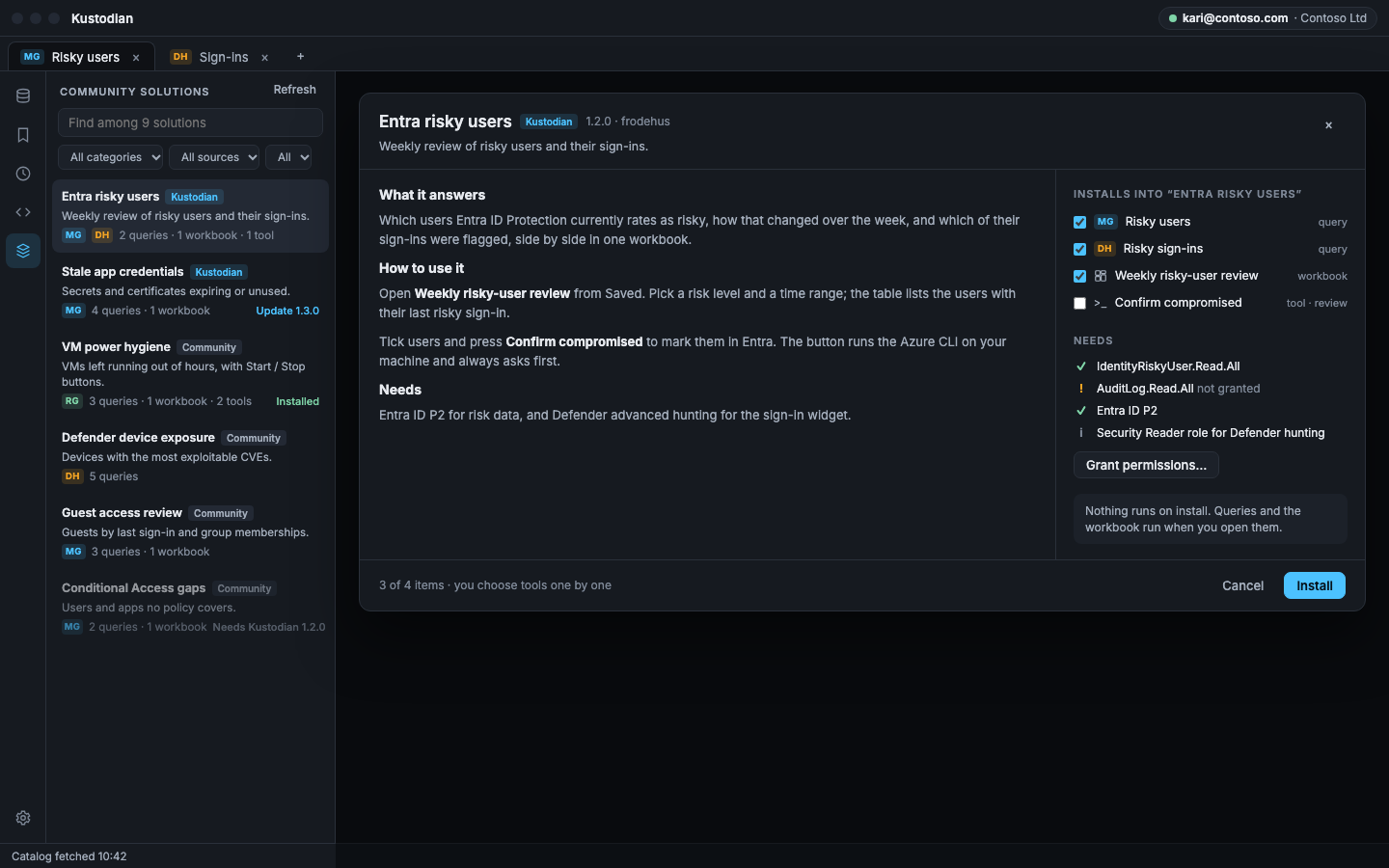
Open Solutions on the rail. Search, and filter by category, source, or what you have installed.
Install what you need
Read what it does, untick what you don’t want, and it goes into a library folder named after the solution. Nothing runs on install.
See what it needs
Missing Graph permissions, licences and roles show before you install. Grant the read permissions it needs in one step.
Stay up to date
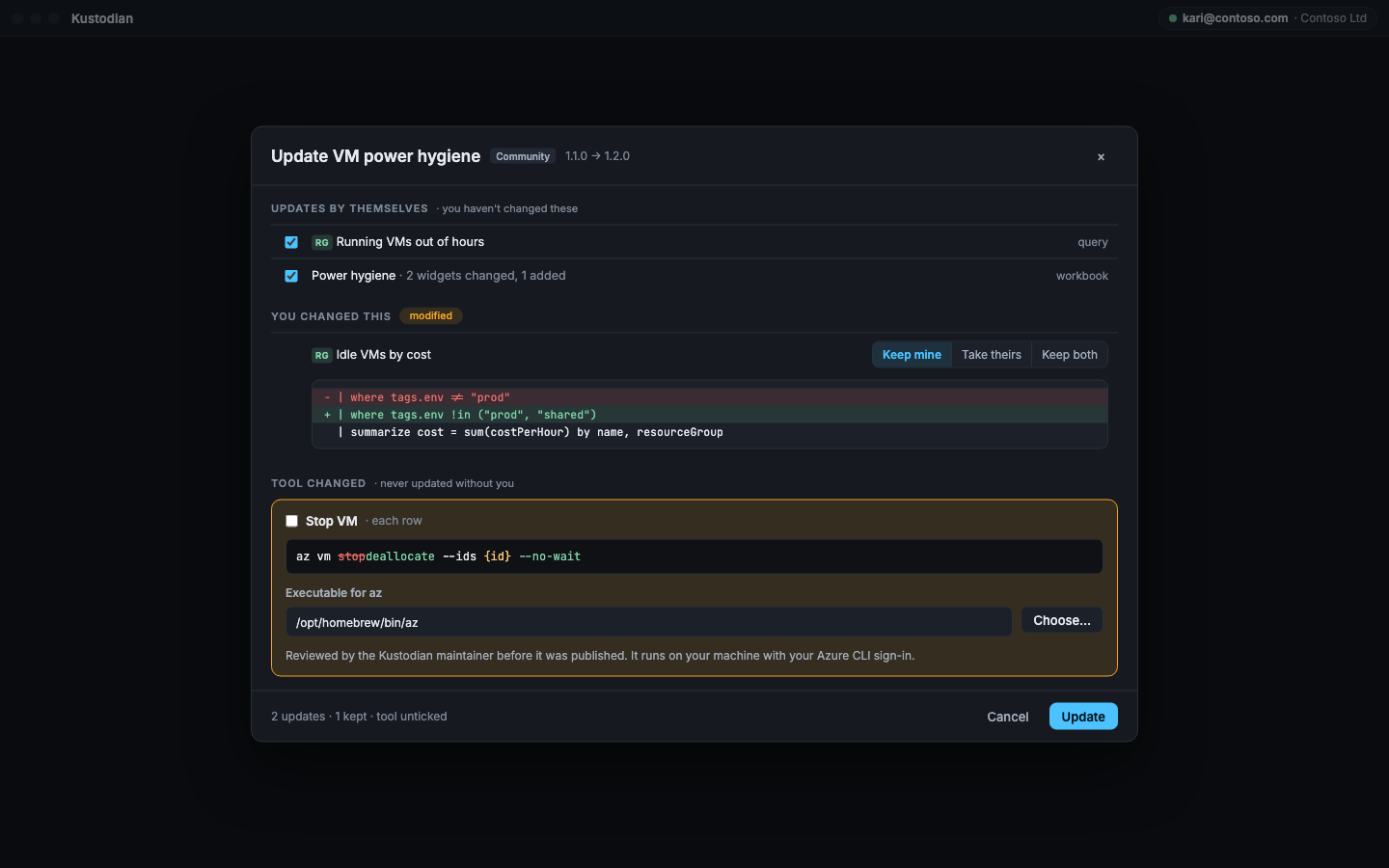
Items you haven’t touched update on their own. For the ones you changed: keep mine, take theirs, or keep both.
Uninstall cleanly
Removes what the solution added and asks about anything you changed, so your own work stays.
Works offline too
The last catalog is kept, so the list opens without a connection. Every download is checked against the catalog’s hash.
Safety
Shared content.
Your rules.
Solutions come from one place, the Solutions folder in Kustodian’s own repository, and only after review.
- Reviewed before it’s published. CI checks every solution, and the maintainer approves every change.
- Tools get an extra look. A new or changed tool triggers a security review before a person approves it.
- No command sneaks in. You see every tool’s full command line and tick it yourself, on install and every time it changes.
- Clearly labelled. Kustodian solutions are maintained by the project; Community ones by their authors.
- No tenant data, ever. Solutions hold queries and layouts, never results, tokens or tenant IDs.
Contribute
Built something useful?
Share it.
A solution is a folder of JSON files you already have: export your workbook, copy your saved queries, and add a short manifest.
One folder per solution
Under Solutions/, named with lowercase letters, digits and dashes.
Solutions/entra-id/
  solution.json
  README.md
  queries/risky-users.json
  workbooks/risky-users-review.json
  tools.json        # optional
The manifest
Name, version, what it contains, which sources it uses and the permissions it needs.
{
  "id": "entra-id",
  "name": "Entra ID",
  "solutionVersion": "1.0.0",
  "sources": ["graph"],
  "requires": {
    "graph": ["User.Read.All"]
  }
}
Checked, then reviewed
CI checks the files, parses every query and makes sure nothing from your tenant slipped in. Raise the version with every change. The maintainer reviews it, and once it’s merged it shows up in everyone’s catalog.